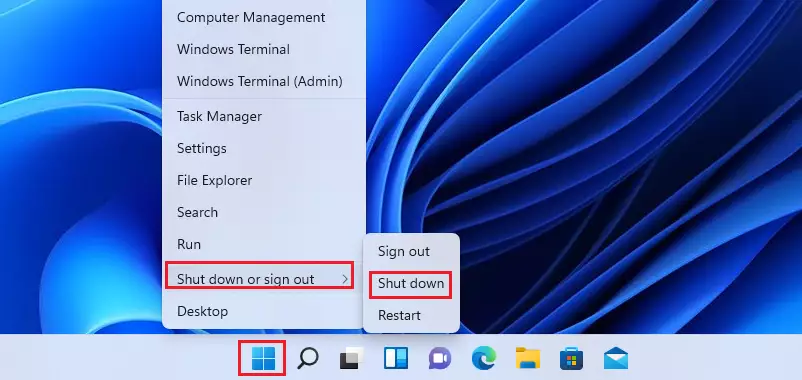
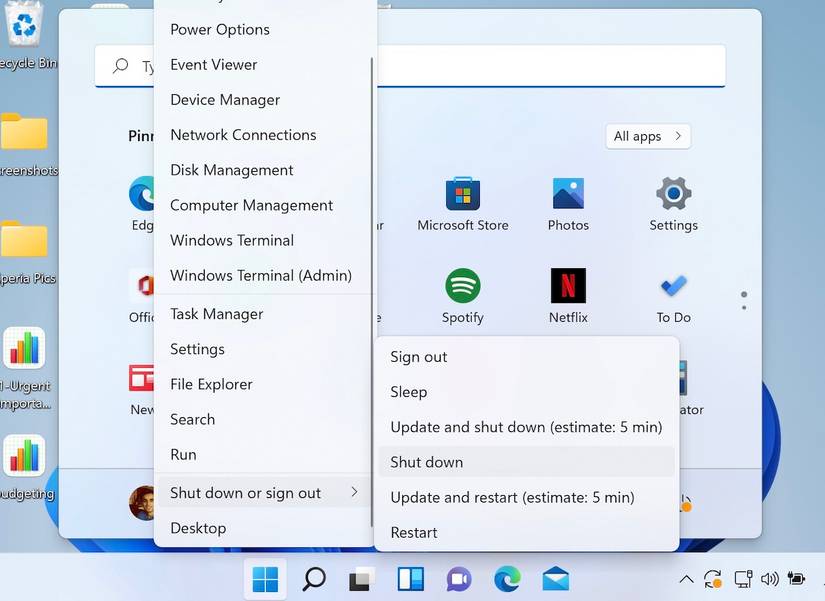
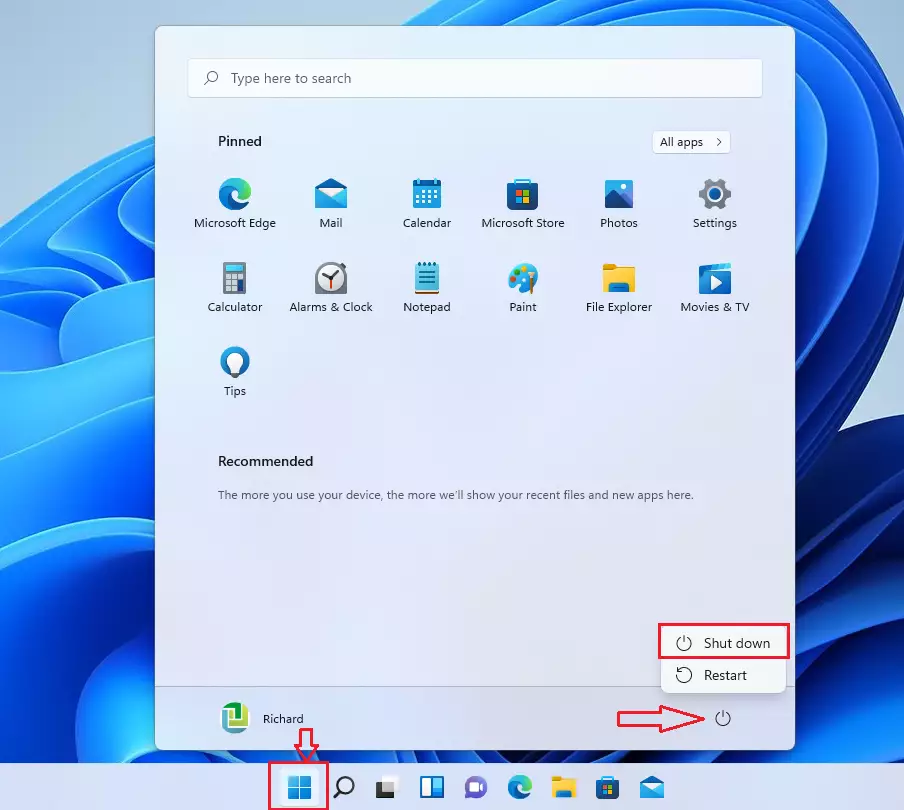
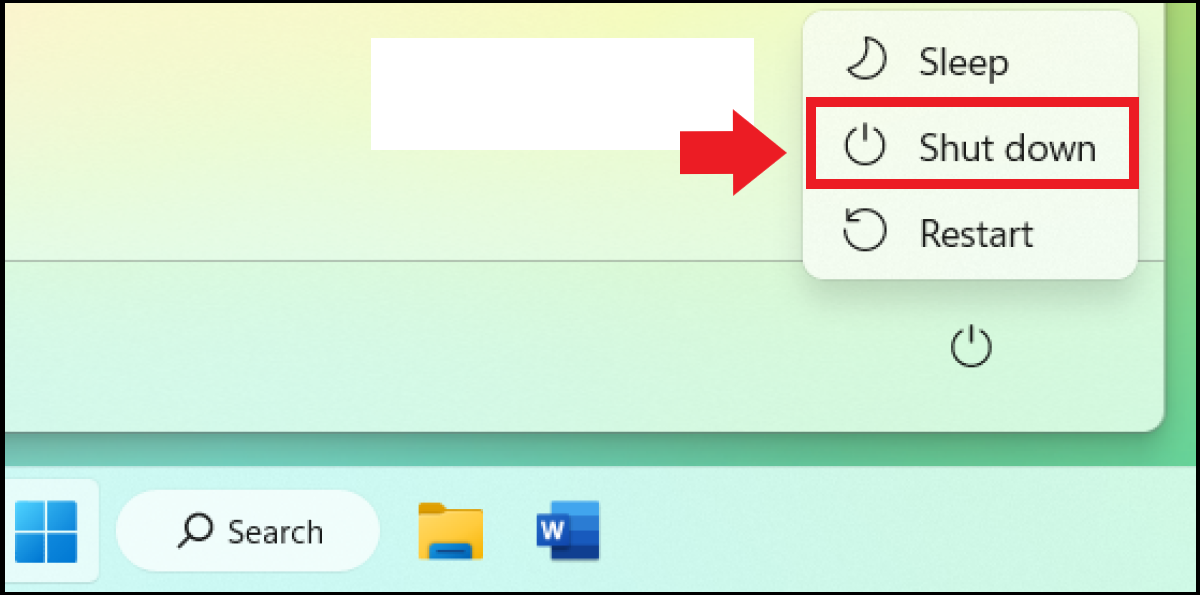
Turn Off Computer Windows 11 Desktop
Our professional Turn Off Computer Windows 11 Desktop collection provides extensive collections of meticulously documented images. optimized for both digital and print applications across multiple platforms. supporting commercial, educational, and research applications. Each Turn Off Computer Windows 11 Desktop image is carefully selected for superior visual impact and professional quality. Perfect for marketing materials, corporate presentations, advertising campaigns, and professional publications All Turn Off Computer Windows 11 Desktop images are available in high resolution with professional-grade quality, optimized for both digital and print applications, and include comprehensive metadata for easy organization and usage. Each Turn Off Computer Windows 11 Desktop image meets rigorous quality standards for commercial applications. Instant download capabilities enable immediate access to chosen Turn Off Computer Windows 11 Desktop images. Multiple resolution options ensure optimal performance across different platforms and applications. Regular updates keep the Turn Off Computer Windows 11 Desktop collection current with contemporary trends and styles. Time-saving browsing features help users locate ideal Turn Off Computer Windows 11 Desktop images quickly. Advanced search capabilities make finding the perfect Turn Off Computer Windows 11 Desktop image effortless and efficient. Diverse style options within the Turn Off Computer Windows 11 Desktop collection suit various aesthetic preferences. Whether for commercial projects or personal use, our Turn Off Computer Windows 11 Desktop collection delivers consistent excellence.



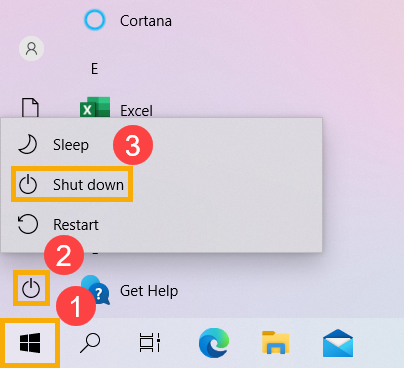
![Turn Off Computer Windows 11 Desktop [Windows 11/10] Three ways to turn computer off - ... - Republic of ...](https://kmpic.asus.com/images/2022/01/20/aa0ea88f-4bb6-476d-880f-6c6c092b0bd6.png)


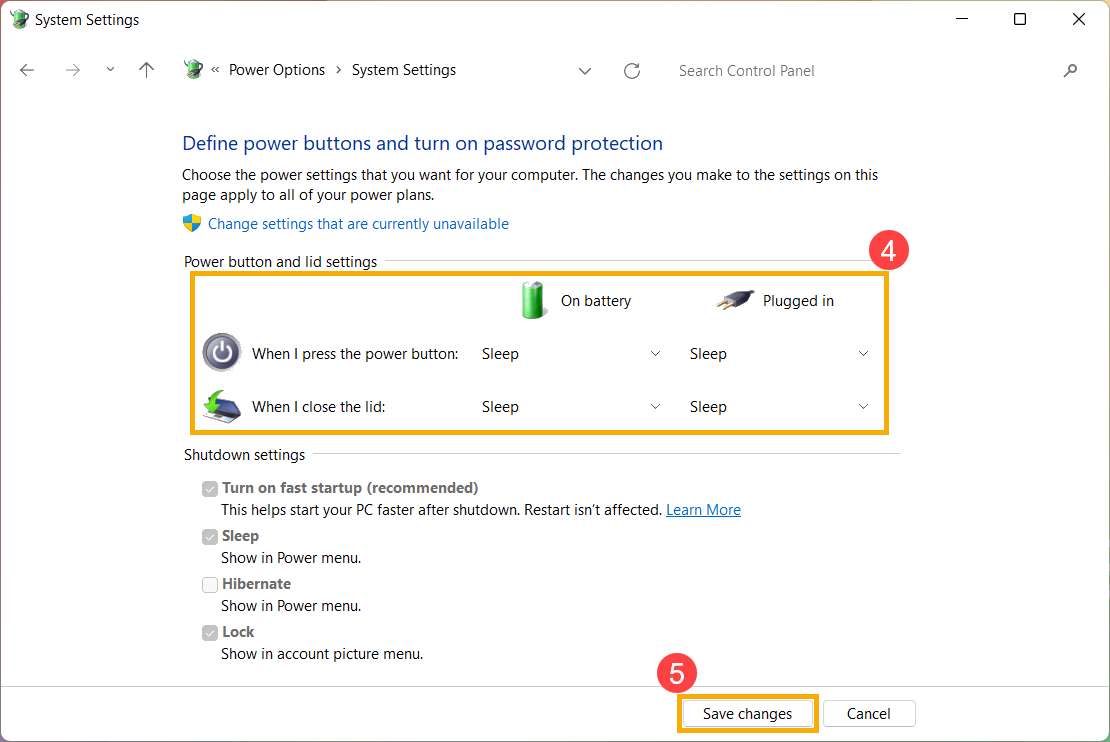
![Turn Off Computer Windows 11 Desktop [Windows 11/10] Three ways to turn computer off - ... - ASUS - ZenTalk ...](https://kmpic.asus.com/images/2022/01/20/4bde3b29-94f1-477f-b796-18009f9d246f.png)
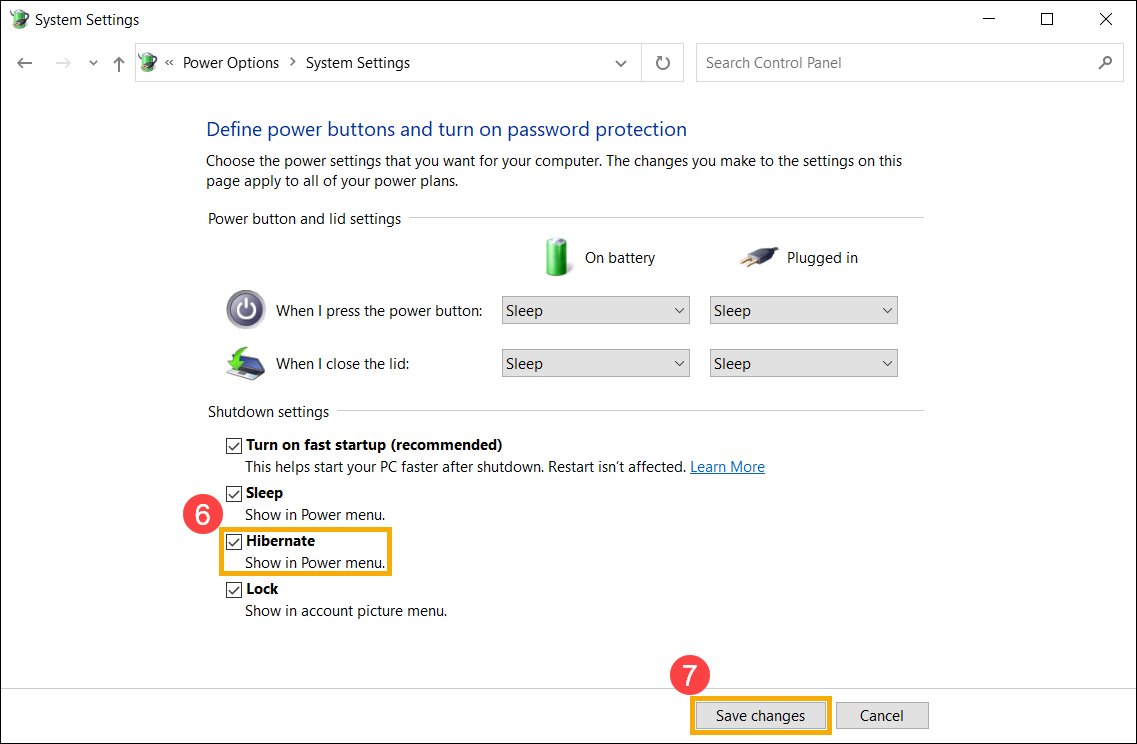
![Turn Off Computer Windows 11 Desktop [Windows 11/10] Three ways to turn computer off - ... - Republic of ...](https://kmpic.asus.com/images/2021/01/08/739a8391-f57d-4ec9-b937-2277a154997c.png)
![Turn Off Computer Windows 11 Desktop [Windows 11/10] Three ways to turn computer off - ... - ASUS - ZenTalk ...](https://kmpic.asus.com/images/2022/01/20/881b968c-87a2-4d81-ac20-87b828a1aa55.png)


![Turn Off Computer Windows 11 Desktop [Windows 11/10] Three ways to turn computer off - ... - Republic of ...](https://kmpic.asus.com/images/2021/01/08/9e93d077-ab83-4c71-9931-361845c2604c.png)
![Turn Off Computer Windows 11 Desktop [Windows 11/10] Three ways to turn computer off - ... - ASUS - ZenTalk ...](https://kmpic.asus.com/images/2021/01/08/e6e38a59-c909-4517-8fa1-684cb013aada.png)
![Turn Off Computer Windows 11 Desktop [Windows 11/10] Three ways to turn computer off - ... - Republic of ...](https://kmpic.asus.com/images/2022/01/20/61309815-f865-4e3a-a80b-d425a1fbedd4.png)

![Turn Off Computer Windows 11 Desktop [Windows 11/10] Three ways to turn computer off - ... - ASUS - ZenTalk ...](https://kmpic.asus.com/images/2021/01/08/8e3248b0-f1ae-4a64-8619-e1d99eacb538.png)


:max_bytes(150000):strip_icc()/002_fix-when-windows-11-wont-shut-down-5192936-ce0959e719304a7888012a6ef39538b2.jpg)


:max_bytes(150000):strip_icc()/006_slug-placeholder-4801902-ce47e3b46acd46d99b65fbd9c448d89d-a1feab93d1c948fb97180bdc1f016536.jpg)


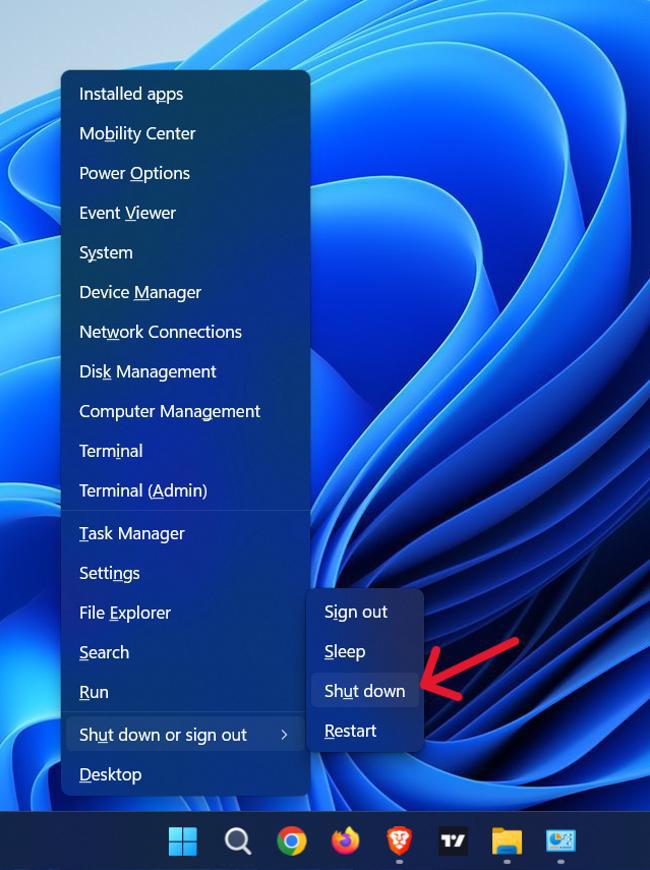
:max_bytes(150000):strip_icc()/F1-ShutDownWindows11-annotated-a39754e22dd2432d8d62660a2517e97c.jpg)