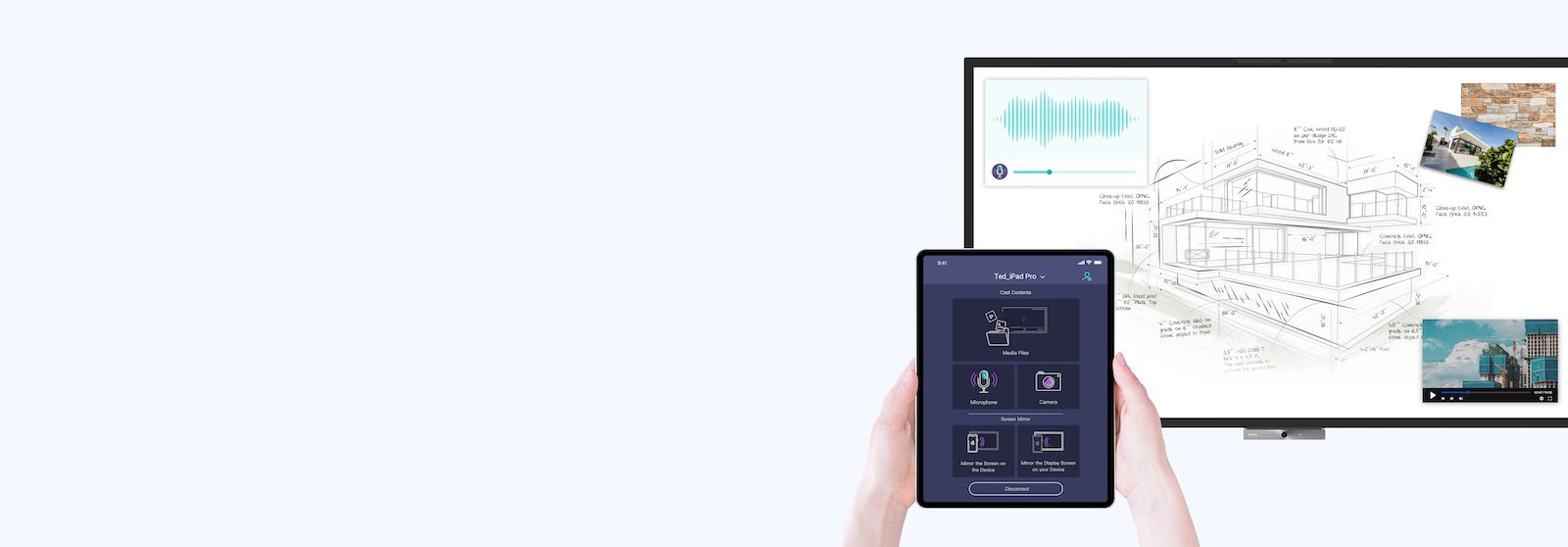
Instashare Connection Guide
Celebrate the visual poetry of Instashare Connection Guide through comprehensive galleries of carefully composed images. blending traditional techniques with contemporary artistic interpretation. transforming ordinary subjects into extraordinary visual experiences. The Instashare Connection Guide collection maintains consistent quality standards across all images. Ideal for artistic projects, creative designs, digital art, and innovative visual expressions All Instashare Connection Guide images are available in high resolution with professional-grade quality, optimized for both digital and print applications, and include comprehensive metadata for easy organization and usage. Each Instashare Connection Guide image offers fresh perspectives that enhance creative projects and visual storytelling. The Instashare Connection Guide collection represents years of careful curation and professional standards. Regular updates keep the Instashare Connection Guide collection current with contemporary trends and styles. Instant download capabilities enable immediate access to chosen Instashare Connection Guide images. Each image in our Instashare Connection Guide gallery undergoes rigorous quality assessment before inclusion. Professional licensing options accommodate both commercial and educational usage requirements. Cost-effective licensing makes professional Instashare Connection Guide photography accessible to all budgets. Whether for commercial projects or personal use, our Instashare Connection Guide collection delivers consistent excellence. Comprehensive tagging systems facilitate quick discovery of relevant Instashare Connection Guide content. Diverse style options within the Instashare Connection Guide collection suit various aesthetic preferences.
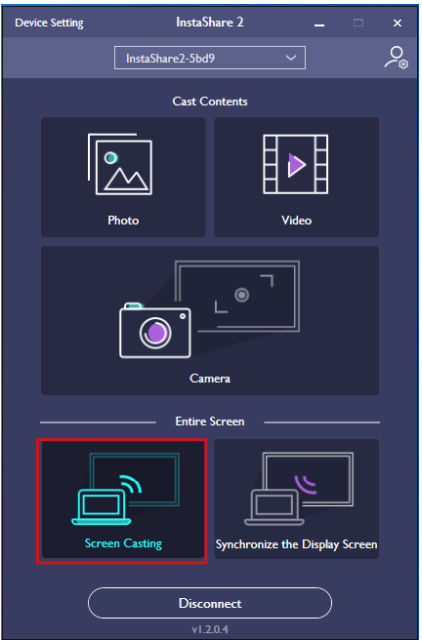
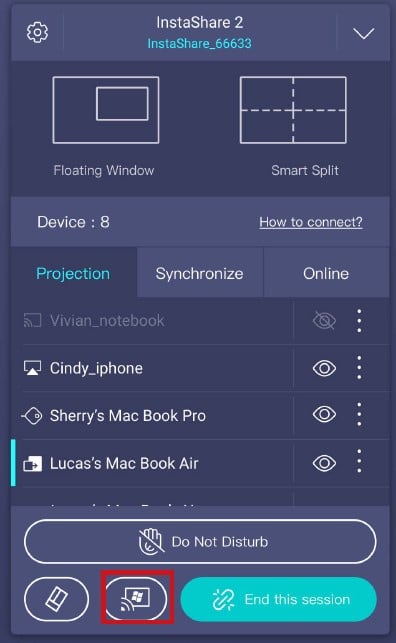
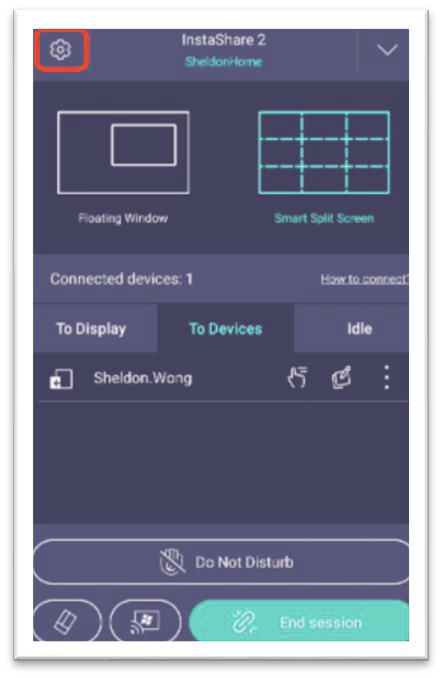
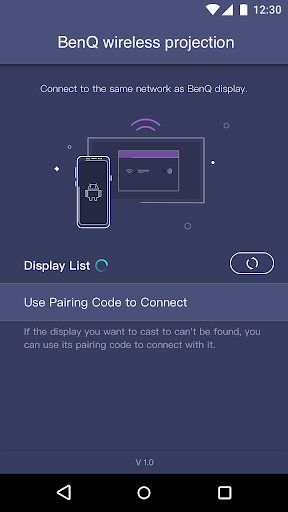
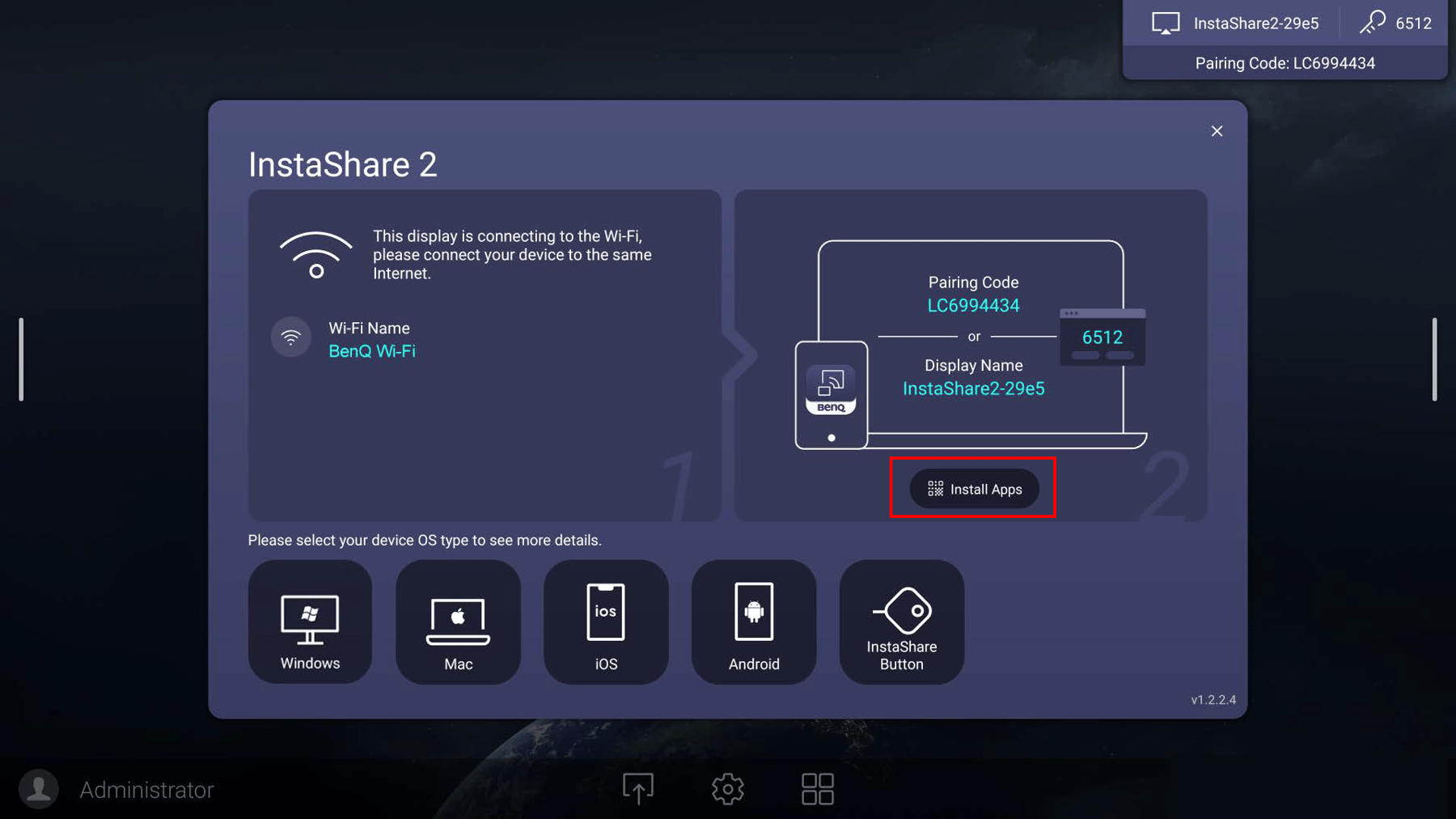
![Instashare Connection Guide [Teacher] How to share your Windows screen with BenQ InstaShare 2](https://knowledge.benq.com/hs-fs/hubfs/IMC-Zowie%20Lee/CS/InstaShare%202/InstaShare%202-Install%20Apps.png?width=1800&height=1014&name=InstaShare%202-Install%20Apps.png)
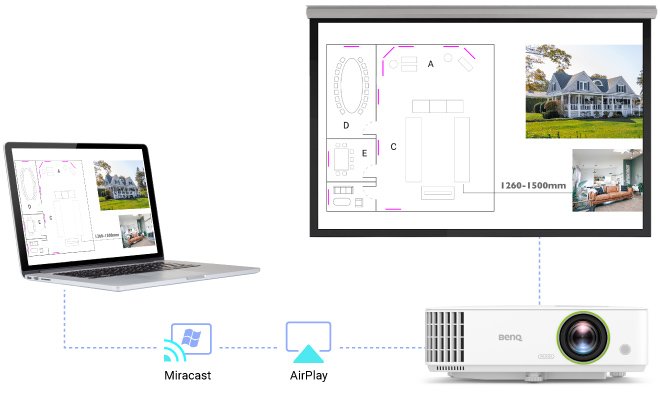
![Instashare Connection Guide [Teacher] How to share your Windows screen with BenQ InstaShare 2](https://knowledge.benq.com/hubfs/image-png-Feb-21-2023-03-03-38-5676-AM.png)
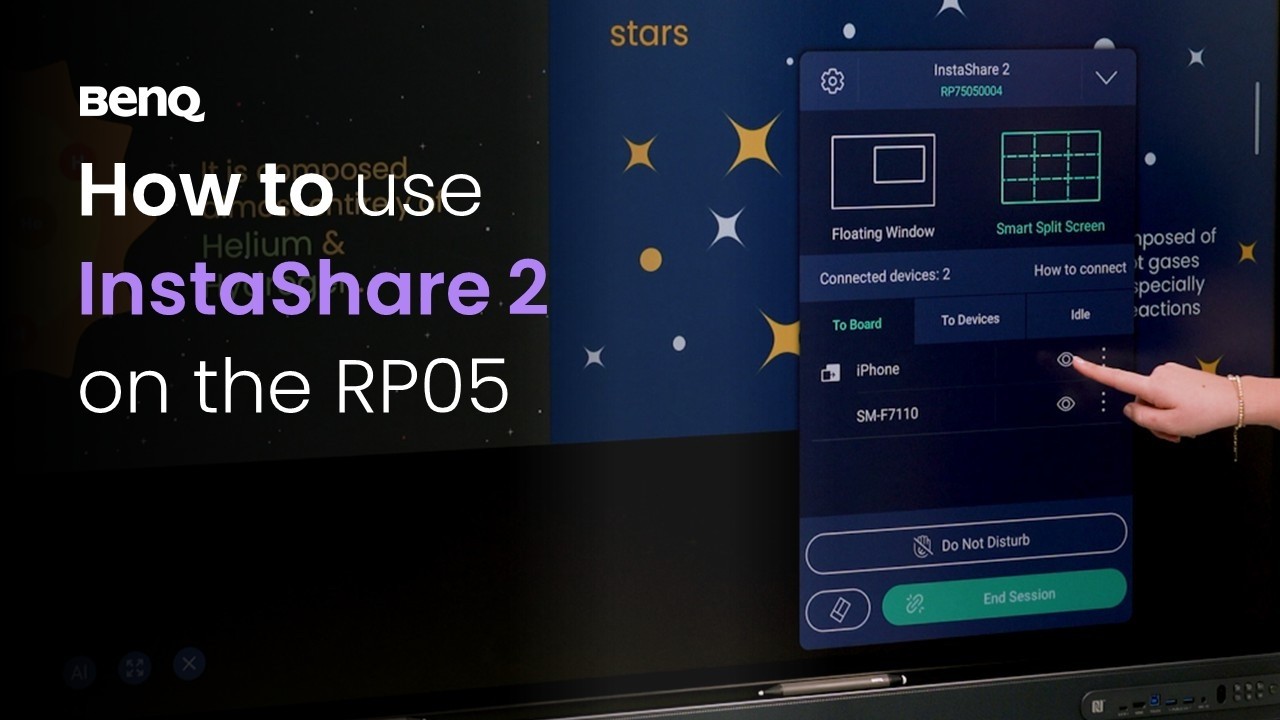
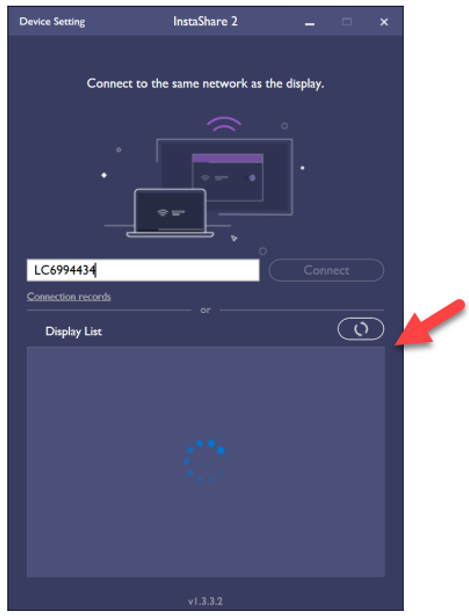
![Instashare Connection Guide [Teacher] How to share your Windows screen with BenQ InstaShare 2](https://knowledge.benq.com/hubfs/image-png-Feb-21-2023-03-07-08-2608-AM.png)

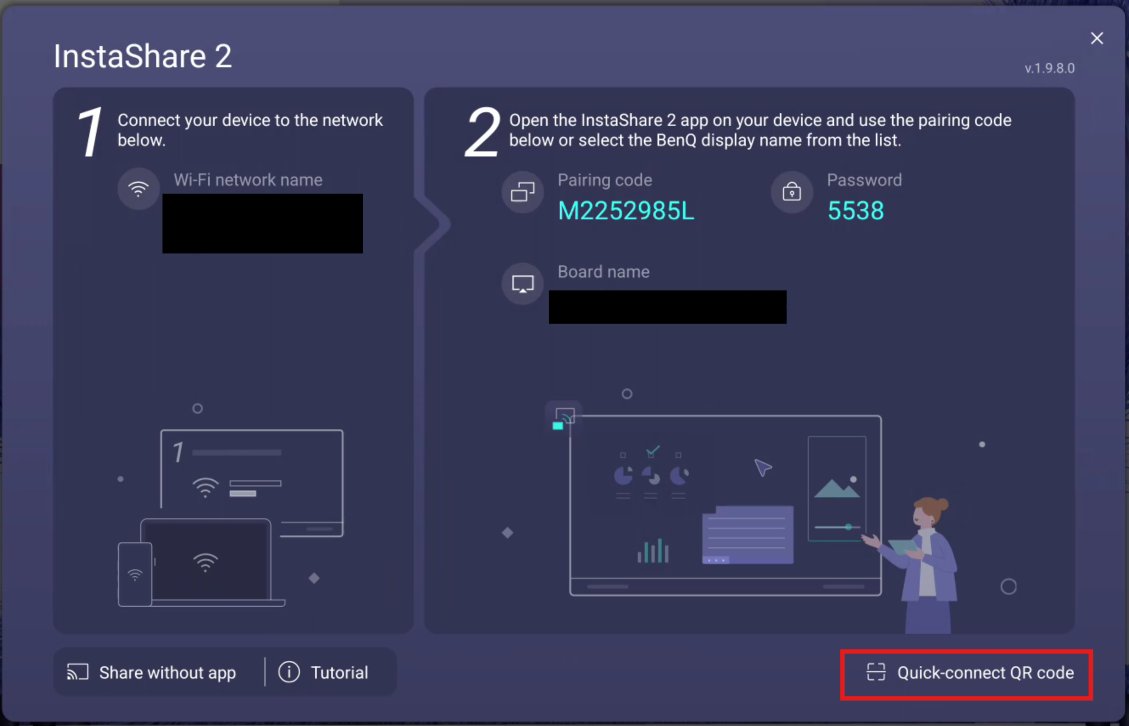
![Instashare Connection Guide [Teacher] How to share your Windows screen with BenQ InstaShare 2](https://knowledge.benq.com/hs-fs/hubfs/image-png-Feb-21-2023-02-54-49-9046-AM.png?width=948&height=1443&name=image-png-Feb-21-2023-02-54-49-9046-AM.png)


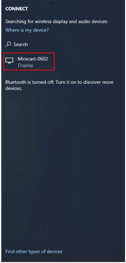
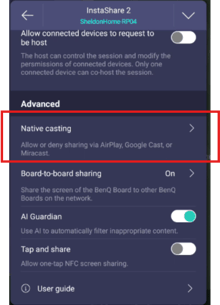
![Instashare Connection Guide [Teacher] How to share your Windows screen with BenQ InstaShare 2](https://knowledge.benq.com/hs-fs/hubfs/InstaShare%202%20miracast.jpg?width=801&height=1284&name=InstaShare%202%20miracast.jpg)


![Instashare Connection Guide [Instashare 2] Release Notes for Instashare 2 Hosts & Clients](https://knowledge.benq.com/hubfs/undefined-Jun-19-2023-08-07-08-2626-PM.png)


![Instashare Connection Guide [Teacher] How to share your Windows screen with BenQ InstaShare 2](https://knowledge.benq.com/hs-fs/hubfs/image-png-Feb-21-2023-02-51-48-5679-AM.png?width=723&height=1383&name=image-png-Feb-21-2023-02-51-48-5679-AM.png)


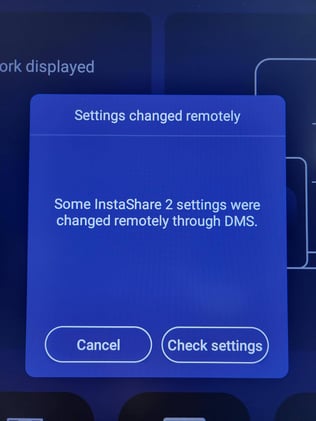
![Instashare Connection Guide [DMS] How can I manage Instashare 2 settings through DMS?](https://knowledge.benq.com/hs-fs/hubfs/image-png-Sep-12-2024-06-53-37-5552-PM.png?width=786&height=891&name=image-png-Sep-12-2024-06-53-37-5552-PM.png)
![Instashare Connection Guide [Teacher] How to share your Windows screen with BenQ InstaShare 2](https://knowledge.benq.com/hs-fs/hubfs/image-png-Feb-21-2023-02-52-33-3929-AM.png?width=126&height=263&name=image-png-Feb-21-2023-02-52-33-3929-AM.png)


![Instashare Connection Guide [DMS] How can I manage Instashare 2 settings through DMS?](https://knowledge.benq.com/hs-fs/hubfs/undefined-Sep-12-2024-06-50-14-4806-PM.jpeg?width=316&height=421&name=undefined-Sep-12-2024-06-50-14-4806-PM.jpeg)


![Instashare Connection Guide [Instashare 2] Release Notes for 1.9.8.0](https://knowledge.benq.com/hs-fs/hubfs/image-png-Feb-26-2026-02-34-34-6231-PM.png?width=1173&height=753&name=image-png-Feb-26-2026-02-34-34-6231-PM.png)
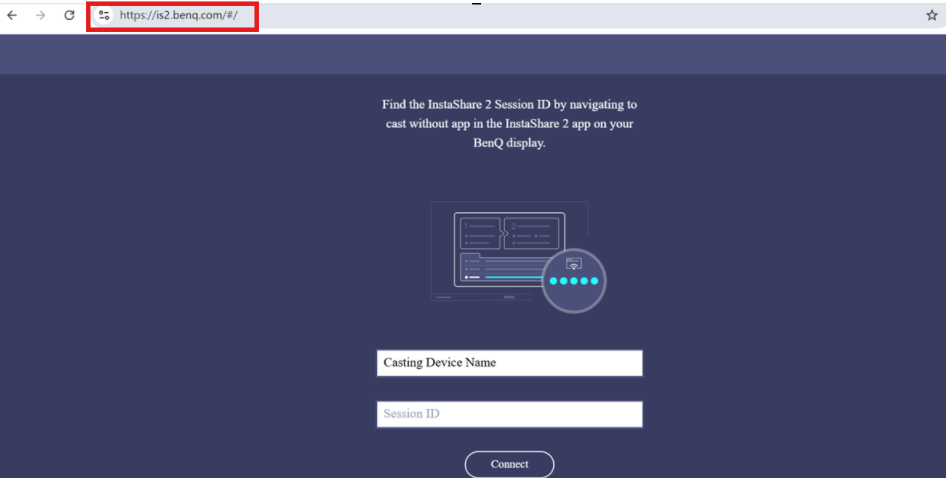
![Instashare Connection Guide [Instashare 2] How to use webcasting to cast remotely or as a Guest?](https://knowledge.benq.com/hs-fs/hubfs/image-png-Feb-28-2025-10-51-11-8485-PM.png?width=1295&height=775&name=image-png-Feb-28-2025-10-51-11-8485-PM.png)
![Instashare Connection Guide [BenQ FAQ] Public Display Product_How to install InstaShare2 with or ...](https://i.ytimg.com/vi/1AvC6Vy3e-I/maxresdefault.jpg)
![Instashare Connection Guide [Instashare 2] How to use webcasting to cast remotely or as a Guest?](https://knowledge.benq.com/hs-fs/hubfs/image-png-Feb-28-2025-10-28-10-9820-PM.png?width=2064&height=1032&name=image-png-Feb-28-2025-10-28-10-9820-PM.png)

![Instashare Connection Guide [BenQ FAQ] Public Display Product_Troubleshooting for failed to connect ...](https://i.ytimg.com/vi/1l27JMi3ltg/maxresdefault.jpg)
![Instashare Connection Guide [Instashare 2] How to use webcasting to cast remotely or as a Guest?](https://knowledge.benq.com/hs-fs/hubfs/image-png-Feb-28-2025-10-25-22-7289-PM.png?width=400&height=616&name=image-png-Feb-28-2025-10-25-22-7289-PM.png)
![Instashare Connection Guide [Instashare 2] Release Notes for 1.9.8.0](https://knowledge.benq.com/hs-fs/hubfs/image-png-Feb-17-2026-07-37-00-2931-PM.png?width=630&height=636&name=image-png-Feb-17-2026-07-37-00-2931-PM.png)
![Instashare Connection Guide [Instashare 2] How to use webcasting to cast remotely or as a Guest?](https://knowledge.benq.com/hs-fs/hubfs/image-png-Feb-28-2025-10-24-50-8138-PM.png?width=220&height=306&name=image-png-Feb-28-2025-10-24-50-8138-PM.png)
![Instashare Connection Guide [Instashare 2] How to use webcasting to cast remotely or as a Guest?](https://knowledge.benq.com/hs-fs/hubfs/image-png-Feb-28-2025-10-47-15-3103-PM.png?width=1010&height=510&name=image-png-Feb-28-2025-10-47-15-3103-PM.png)
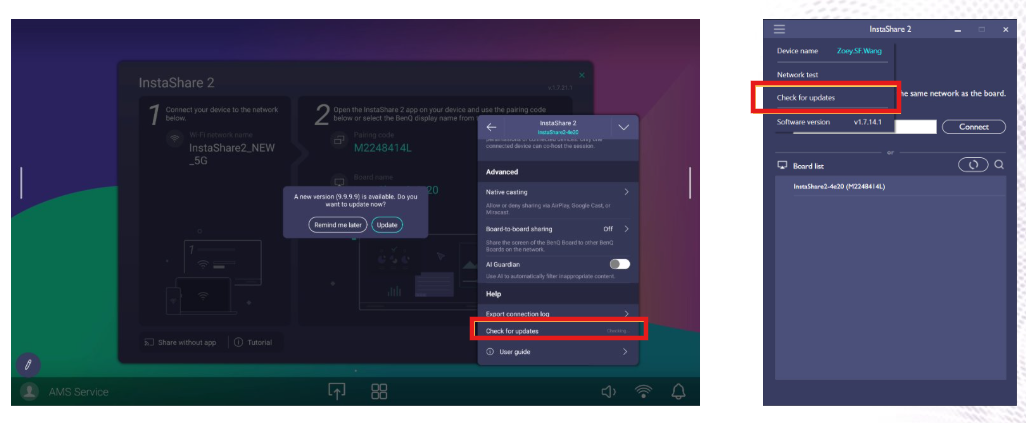
![Instashare Connection Guide [Instashare 2] Release Notes for v1.7.0.0](https://knowledge.benq.com/hs-fs/hubfs/image-png-Feb-28-2025-09-59-10-1677-PM.png?width=1108&height=626&name=image-png-Feb-28-2025-09-59-10-1677-PM.png)
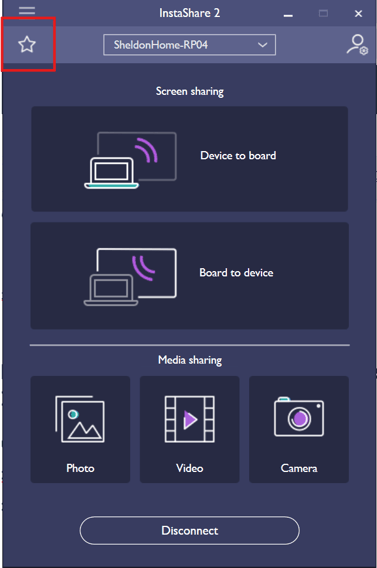
![Instashare Connection Guide [Instashare 2] How to favorite my BenQ Board?](https://knowledge.benq.com/hs-fs/hubfs/image-png-Sep-09-2025-03-01-46-6579-PM.png?width=377&height=569&name=image-png-Sep-09-2025-03-01-46-6579-PM.png)

![Instashare Connection Guide [Instashare 2] Release Notes for FW v1.8.3.0](https://knowledge.benq.com/hs-fs/hubfs/image-png-Aug-04-2025-03-30-14-3846-PM.png?width=2064&height=852&name=image-png-Aug-04-2025-03-30-14-3846-PM.png)
![Instashare Connection Guide [Instashare 2] How to use webcasting to cast remotely or as a Guest?](https://knowledge.benq.com/hs-fs/hubfs/image-png-Feb-28-2025-10-21-00-8342-PM.png?width=570&height=867&name=image-png-Feb-28-2025-10-21-00-8342-PM.png)
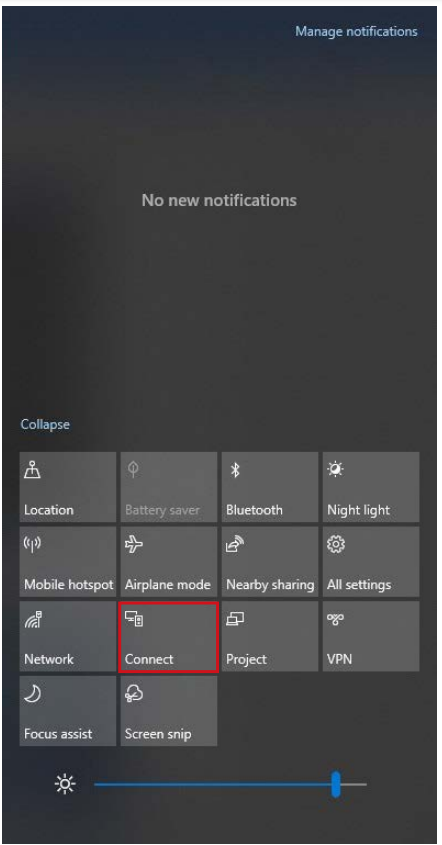
![Instashare Connection Guide [Instashare 2] Release Notes for FW v1.8.3.0](https://knowledge.benq.com/hs-fs/hubfs/image-png-Aug-04-2025-02-34-00-5065-PM.png?width=688&height=279&name=image-png-Aug-04-2025-02-34-00-5065-PM.png)
![Instashare Connection Guide [Instashare 2] How to use webcasting to cast remotely or as a Guest?](https://knowledge.benq.com/hs-fs/hubfs/image-png-Feb-28-2025-10-37-42-2970-PM.png?width=1283&height=750&name=image-png-Feb-28-2025-10-37-42-2970-PM.png)
![Instashare Connection Guide [Instashare 2] How to use webcasting to cast remotely or as a Guest?](https://knowledge.benq.com/hs-fs/hubfs/image-png-Feb-28-2025-10-42-54-2086-PM.png?width=716&height=680&name=image-png-Feb-28-2025-10-42-54-2086-PM.png)
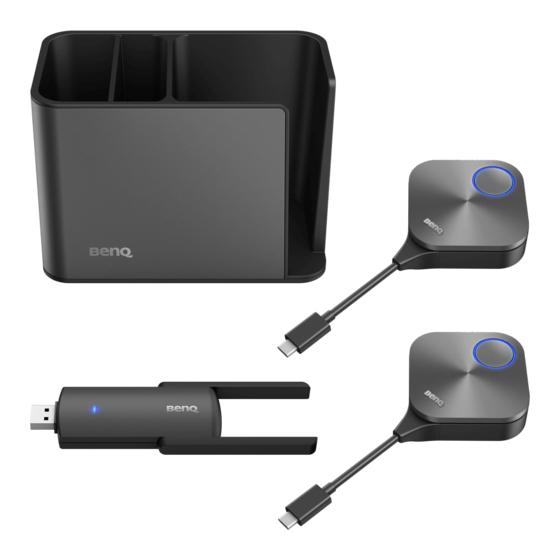
![Instashare Connection Guide [Instashare 2] How to use webcasting to cast remotely or as a Guest?](https://knowledge.benq.com/hs-fs/hubfs/image-png-Feb-28-2025-10-19-55-0191-PM.png?width=1028&height=603&name=image-png-Feb-28-2025-10-19-55-0191-PM.png)
![Instashare Connection Guide [Instashare 2] Release Notes for FW v1.8.3.0](https://knowledge.benq.com/hs-fs/hubfs/image-png-Aug-04-2025-03-17-22-1512-PM.png?width=1329&height=705&name=image-png-Aug-04-2025-03-17-22-1512-PM.png)

![Instashare Connection Guide [Instashare 2] Release Notes for FW v1.8.3.0](https://knowledge.benq.com/hs-fs/hubfs/image-png-Aug-04-2025-03-15-29-7345-PM.png?width=688&height=261&name=image-png-Aug-04-2025-03-15-29-7345-PM.png)
![Instashare Connection Guide [FAQ] How do I set an application to automatically start on my BenQ ...](https://knowledge.benq.com/hs-fs/hubfs/image-png-Sep-25-2025-04-07-00-7390-PM.png?width=804&height=996&name=image-png-Sep-25-2025-04-07-00-7390-PM.png)