Edit Profile Button In Scansnap
Immerse yourself in the stunning artistic world of Edit Profile Button In Scansnap with comprehensive galleries of creative images. expressing the artistic vision of photography, images, and pictures. designed to inspire artistic expression. Our Edit Profile Button In Scansnap collection features high-quality images with excellent detail and clarity. Suitable for various applications including web design, social media, personal projects, and digital content creation All Edit Profile Button In Scansnap images are available in high resolution with professional-grade quality, optimized for both digital and print applications, and include comprehensive metadata for easy organization and usage. Discover the perfect Edit Profile Button In Scansnap images to enhance your visual communication needs. Diverse style options within the Edit Profile Button In Scansnap collection suit various aesthetic preferences. Multiple resolution options ensure optimal performance across different platforms and applications. Our Edit Profile Button In Scansnap database continuously expands with fresh, relevant content from skilled photographers. Reliable customer support ensures smooth experience throughout the Edit Profile Button In Scansnap selection process. Time-saving browsing features help users locate ideal Edit Profile Button In Scansnap images quickly. Each image in our Edit Profile Button In Scansnap gallery undergoes rigorous quality assessment before inclusion. Comprehensive tagging systems facilitate quick discovery of relevant Edit Profile Button In Scansnap content.
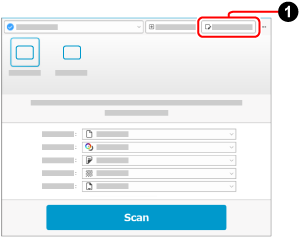
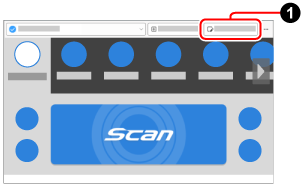
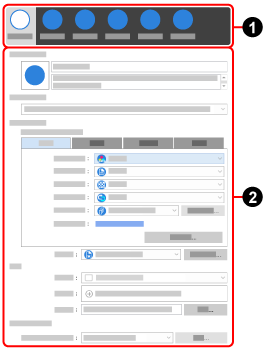

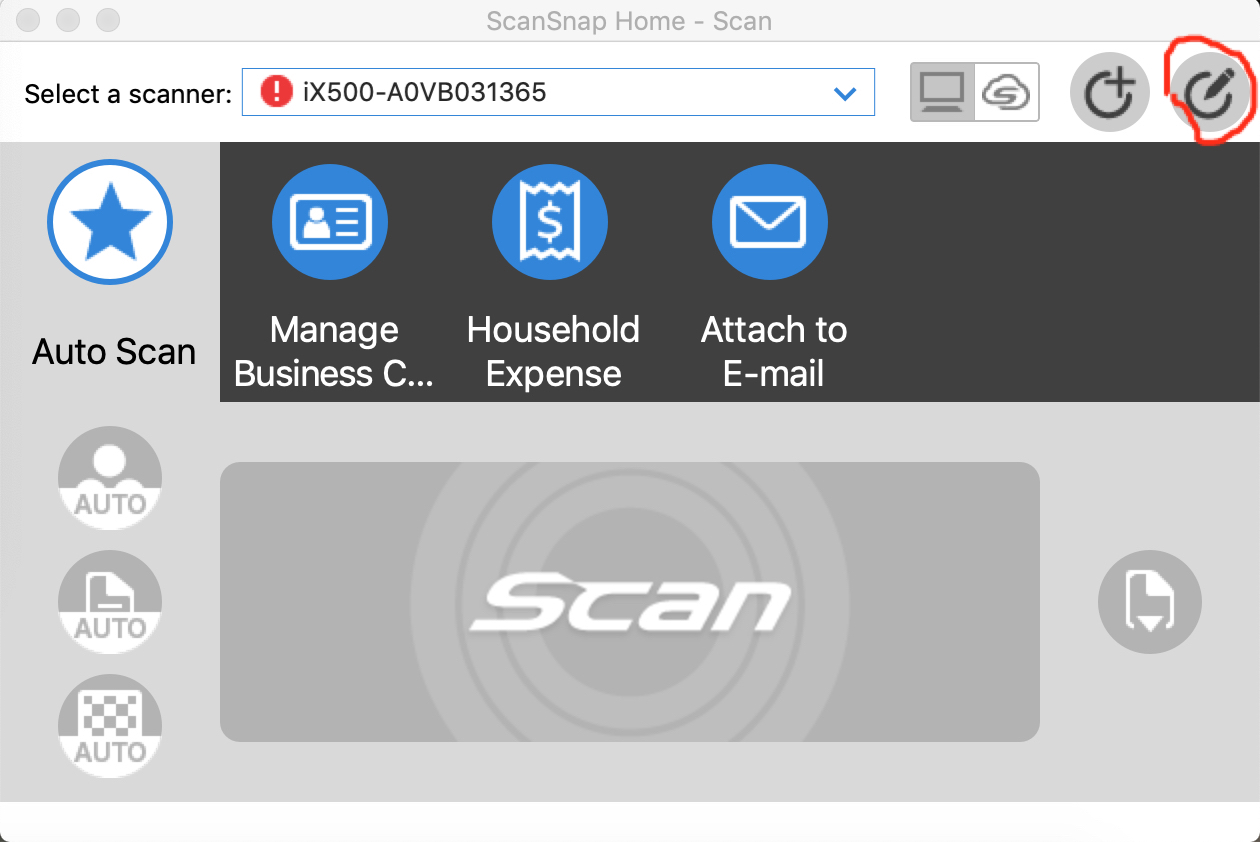
![Edit Profile Button In Scansnap [Windows/macOS]Modifying the Settings for a Profile | ScanSnap Help](https://www.pfu.ricoh.com/imaging/downloads/manual/scansnap_help/jp/pc/images/common/ope_Scan_03.png)
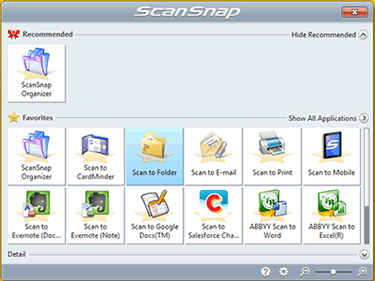
![Edit Profile Button In Scansnap [Windows/macOS]Modifying the Settings for a Profile | ScanSnap Help](https://www.pfu.ricoh.com/imaging/downloads/manual/scansnap_help/jp/pc/images/common/ope_Scan_old_03.png)
![Edit Profile Button In Scansnap [Windows/macOS]Modifying the Settings for a Profile | ScanSnap Help](https://www.pfu.ricoh.com/imaging/downloads/manual/scansnap_help/jp/pc/images/common/ope_PF_edit_04.png)
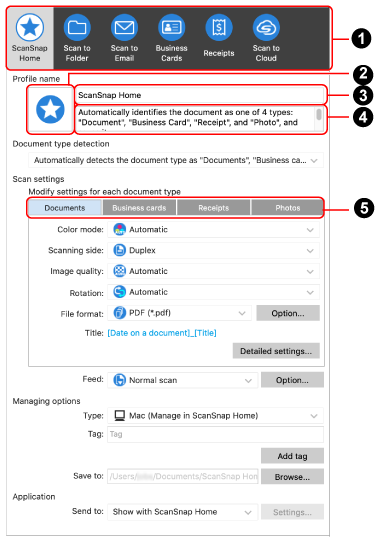
![Edit Profile Button In Scansnap [Windows/macOS]Modifying the Settings for a Profile | ScanSnap Help](https://www.pfu.ricoh.com/imaging/downloads/manual/scansnap_help/jp/pc/images/common/ope_PF_edit_old_04.png)
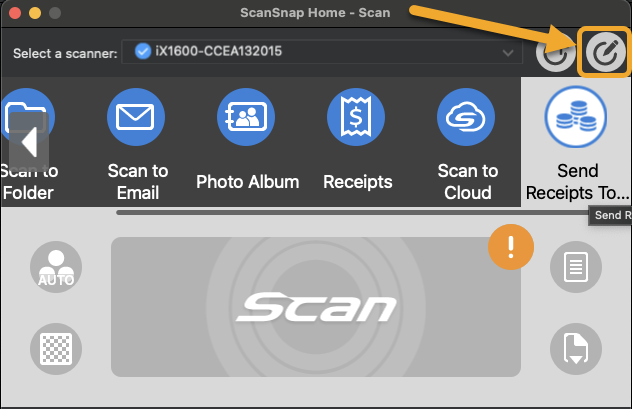


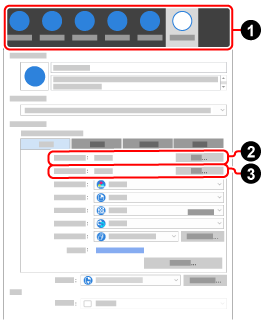
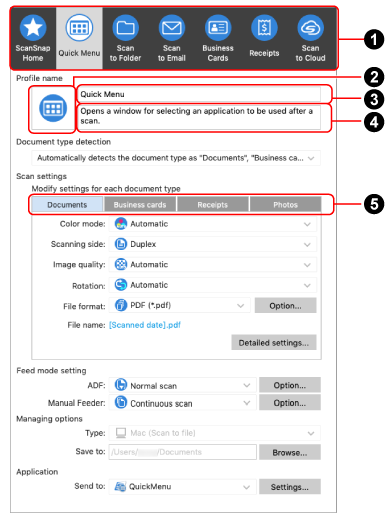
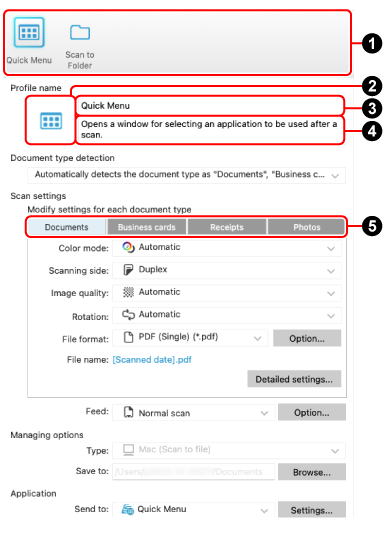
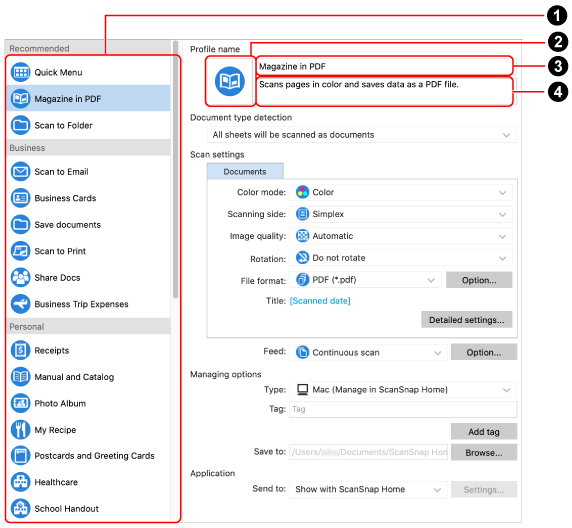
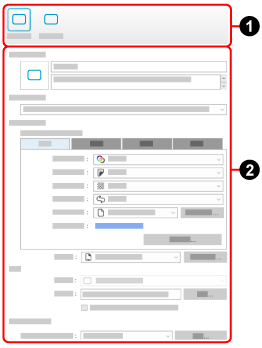
![Edit Profile Button In Scansnap [Edit profiles] Window | ScanSnap Help](https://www.pfu.ricoh.com/imaging/downloads/manual/ss_webhelp/en/help/webhelp/images/m_Profile_edit_01.png)
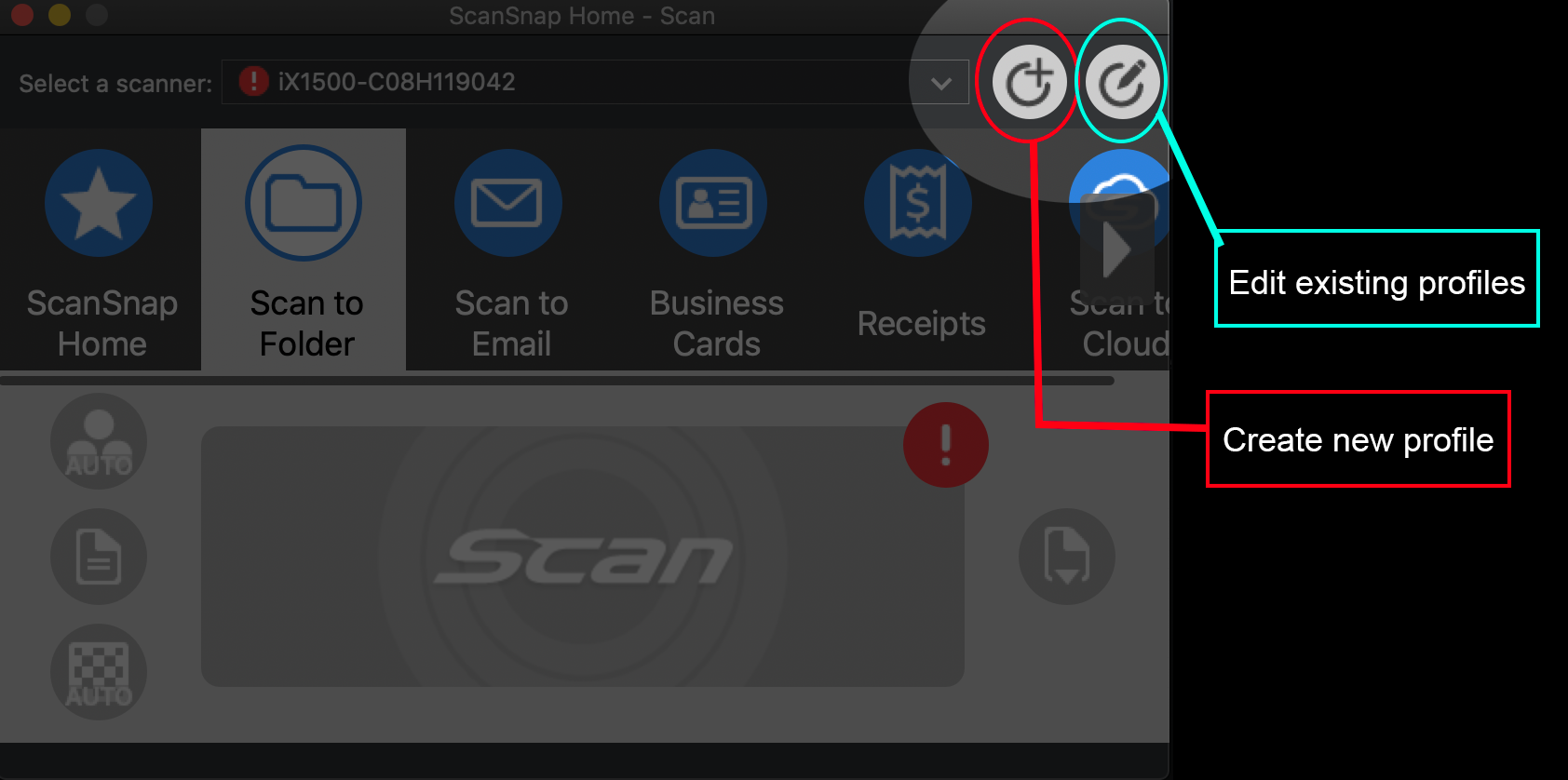

![Edit Profile Button In Scansnap [Windows/macOS][Edit profiles] Window | ScanSnap Help](https://www.pfu.ricoh.com/imaging/downloads/manual/scansnap_help/en/pc/images/w_Profile_edit_1300_01.png)
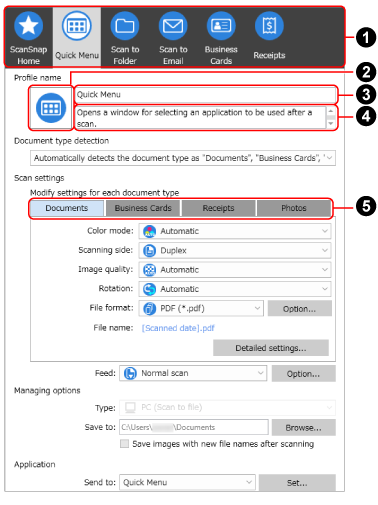
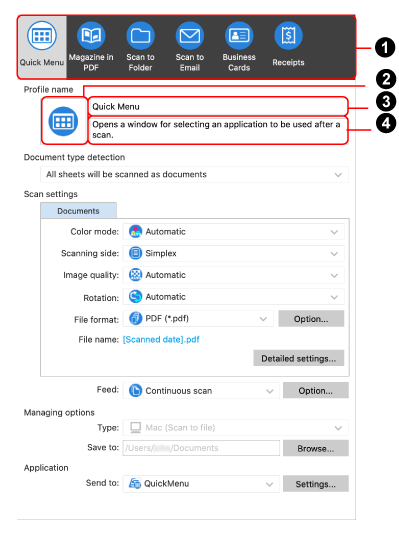
![Edit Profile Button In Scansnap [Edit profiles] Window | ScanSnap Help](https://www.pfu.ricoh.com/imaging/downloads/manual/ss_webhelp/en/help/webhelp/images/w_Profile_edit_ix1300_01.png)
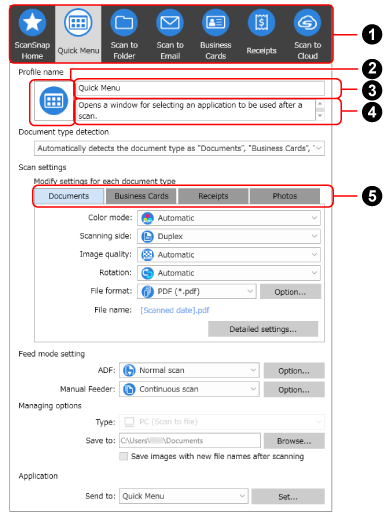
![Edit Profile Button In Scansnap [Windows/macOS][Edit profiles] Window | ScanSnap Help](https://www.pfu.ricoh.com/imaging/downloads/manual/scansnap_help/en/pc/images/w_Profile_edit_ix2500_01.png)
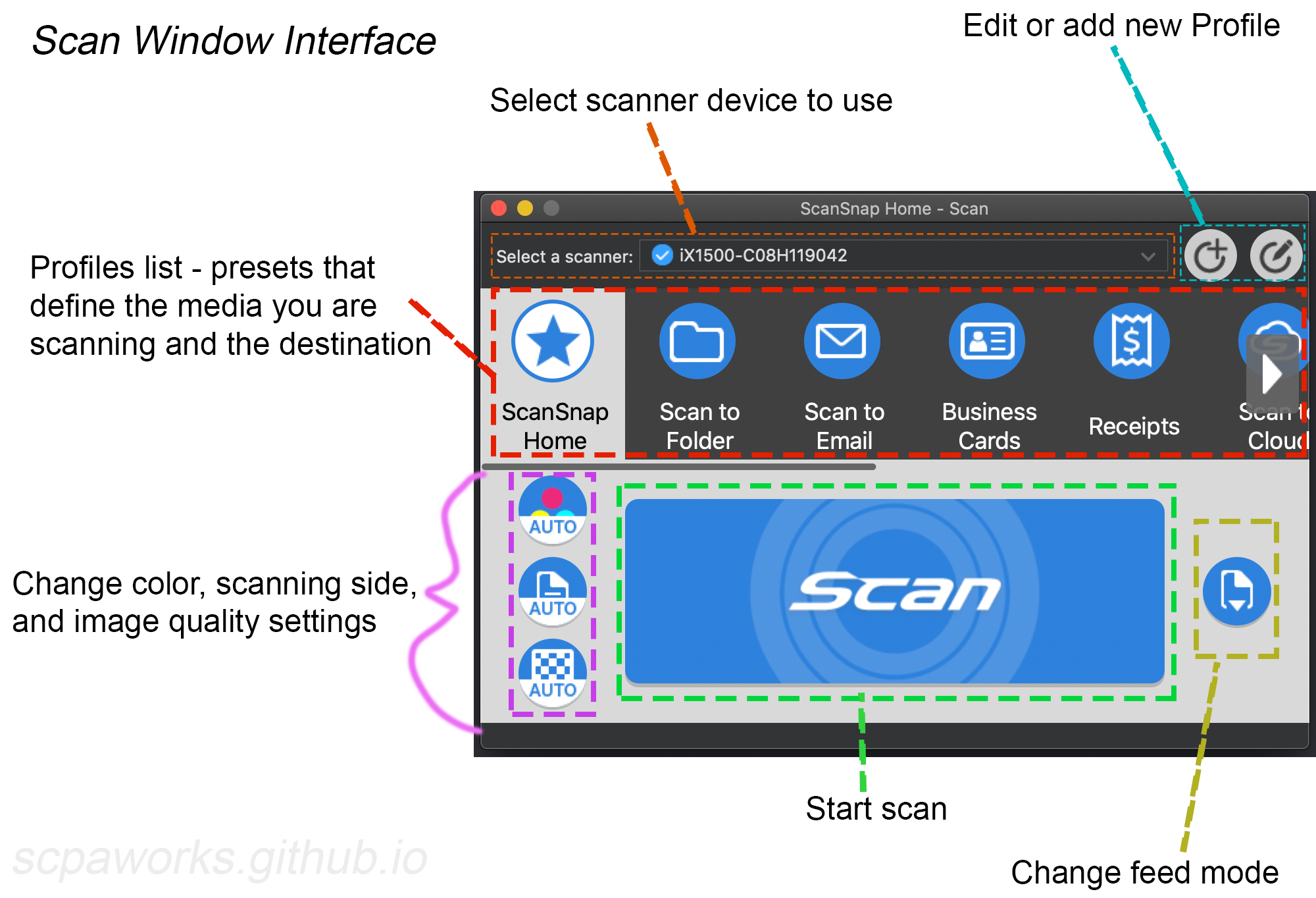


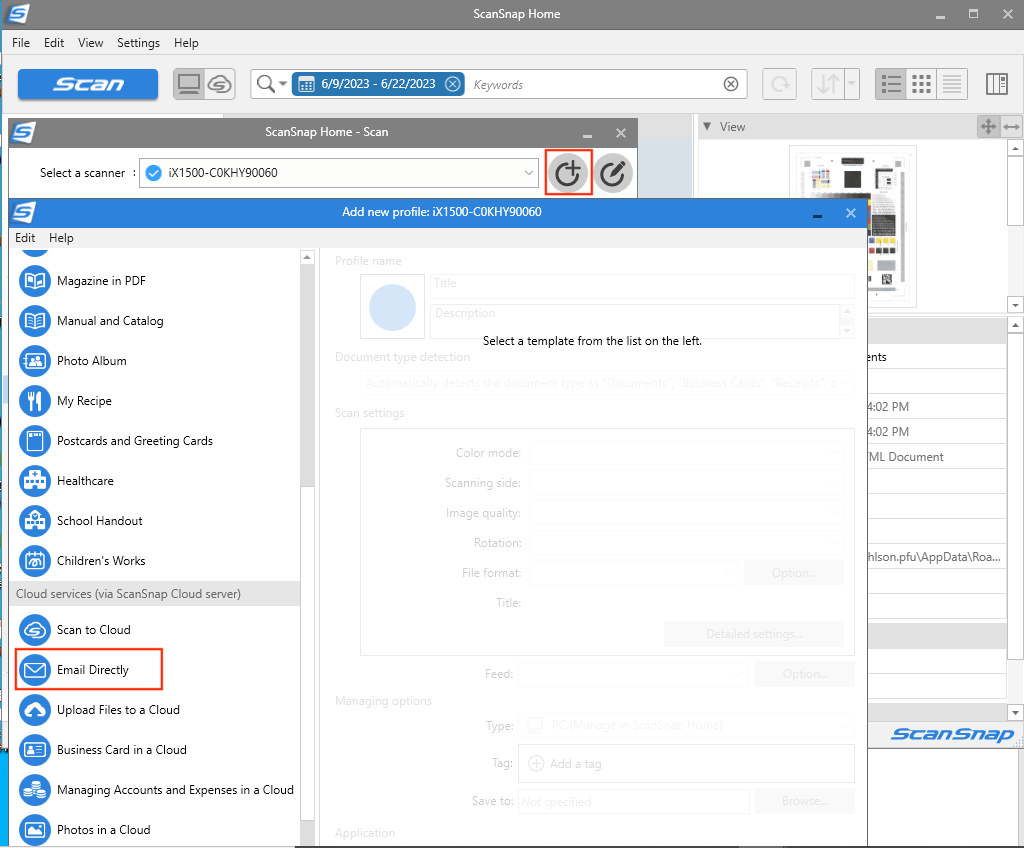
![Edit Profile Button In Scansnap [Windows/macOS][Add new profile] Window | ScanSnap Help](https://www.pfu.ricoh.com/imaging/downloads/manual/scansnap_help/en/pc/images/w_Profile_add_1100_01.png)
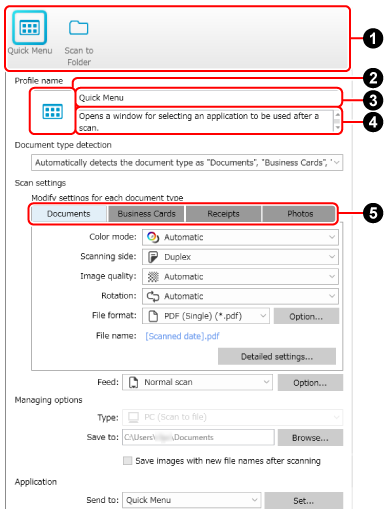
![Edit Profile Button In Scansnap [Windows/macOS][Add new profile] Window | ScanSnap Help](https://www.pfu.ricoh.com/imaging/downloads/manual/scansnap_help/en/pc/images/w_Profile_add_600_01.png)
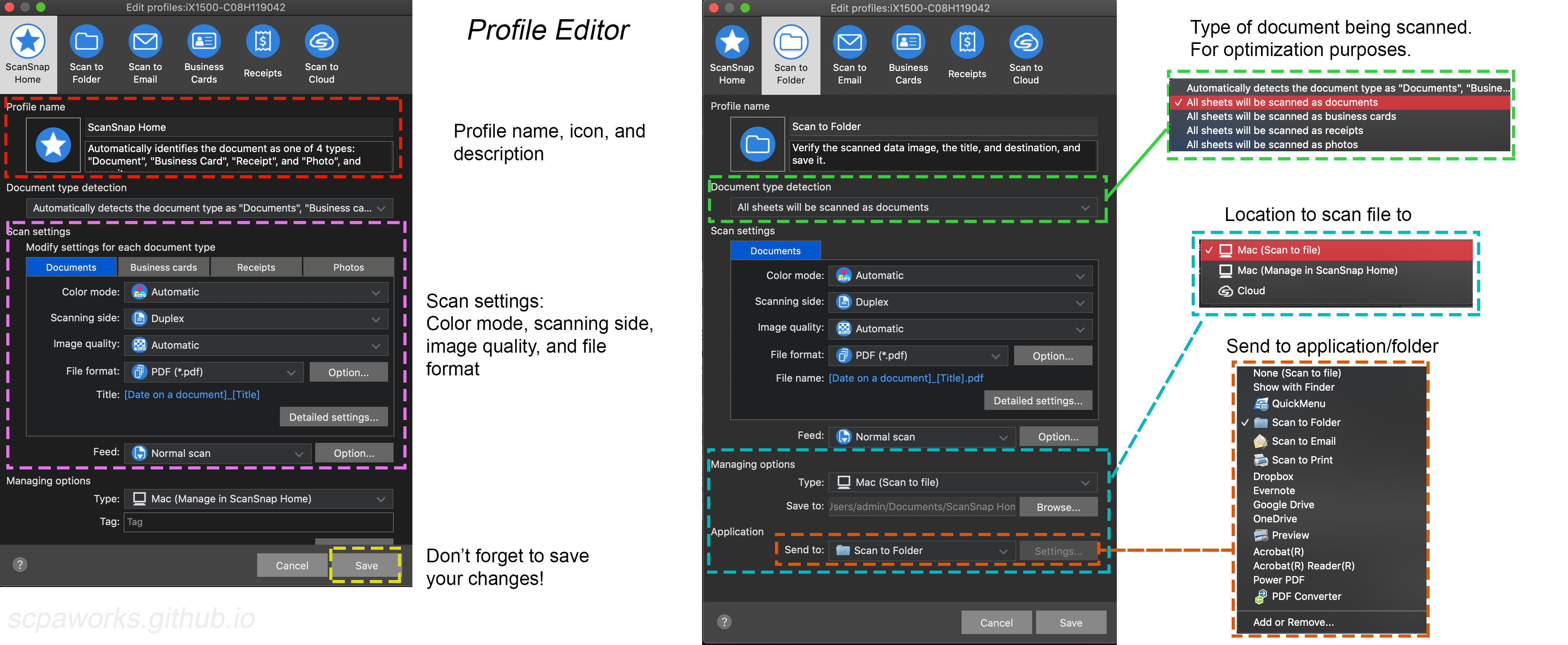


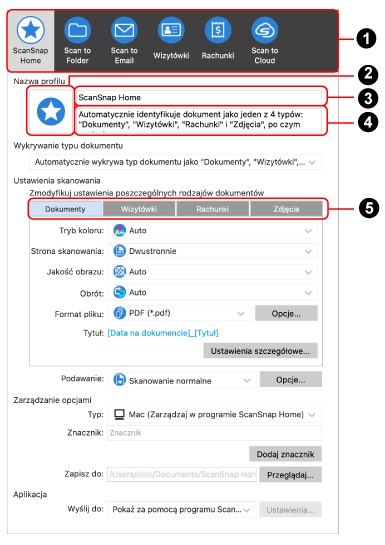
![Edit Profile Button In Scansnap Okno [Edytuj profile] | Pomoc ScanSnap](https://www.pfu.ricoh.com/imaging/downloads/manual/ss_webhelp/pl/help/webhelp/images/m_Profile_edit_01.png)
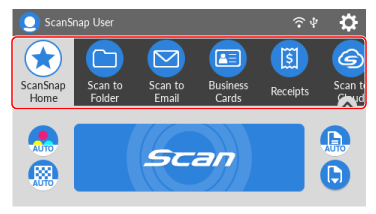
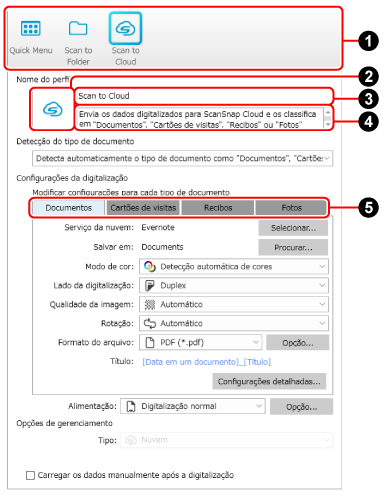
![Edit Profile Button In Scansnap [Windows/macOS]Janela [Editar perfis] (quando do uso do ScanSnap Cloud ...](https://www.pfu.ricoh.com/imaging/downloads/manual/scansnap_help/pt/pc/images/w_Profile_edit_scloud_ix2500_01.png)
![Edit Profile Button In Scansnap [Windows/macOS]Saving Scanned Images Directly from the ScanSnap to a ...](https://www.pfu.ricoh.com/imaging/downloads/manual/scansnap_help/jp/pc/images/common/ope_PF_edit_scloud_old_01.png)
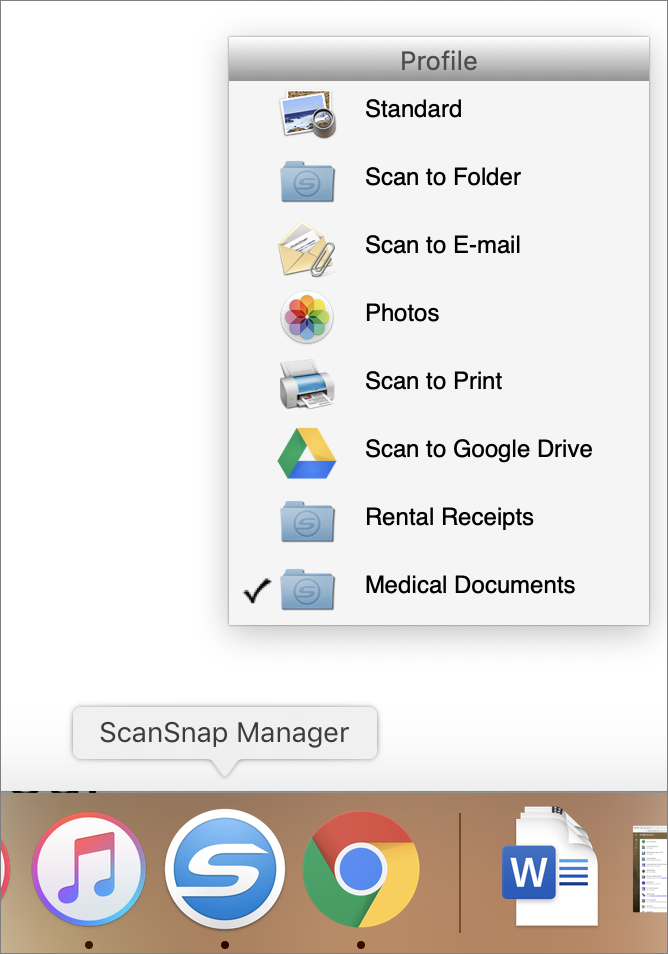
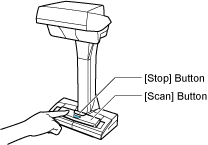
![Edit Profile Button In Scansnap [Windows/macOS]Placing a Book | ScanSnap Help](https://www.pfu.ricoh.com/imaging/downloads/manual/scansnap_help/jp/pc/images/common/ope_PF_edit_feed_sv600_01.png)


![Edit Profile Button In Scansnap [Windows/macOS][Edit profiles] Window | ScanSnap Help](https://www.pfu.ricoh.com/imaging/downloads/manual/scansnap_help/en/pc/images/m_Profile_edit_ix1300_01.png)

![Edit Profile Button In Scansnap [Edit profiles] Window | ScanSnap Help](https://www.pfu.ricoh.com/imaging/downloads/manual/ss_webhelp/en/help/webhelp/images/m_Profile_edit_600_01.png)
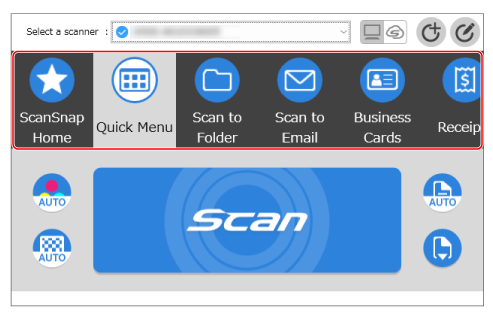
![Edit Profile Button In Scansnap [Windows/macOS][Edit profiles] Window | ScanSnap Help](https://www.pfu.ricoh.com/imaging/downloads/manual/scansnap_help/en/pc/images/m_Profile_edit_ix2500_01.png)
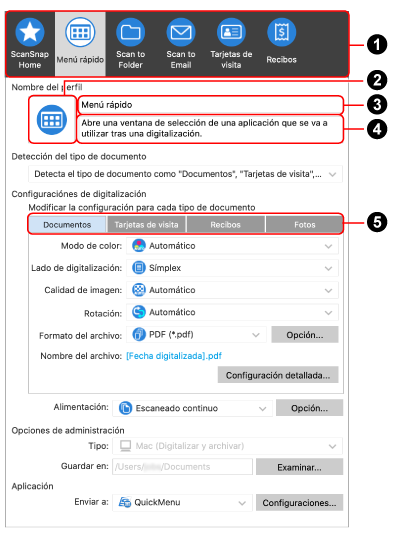
![Edit Profile Button In Scansnap [Windows/macOS]Ventana [Editar perfiles] | Ayuda de ScanSnap](https://www.pfu.ricoh.com/imaging/downloads/manual/scansnap_help/es/pc/images/m_Profile_edit_1100_01.png)
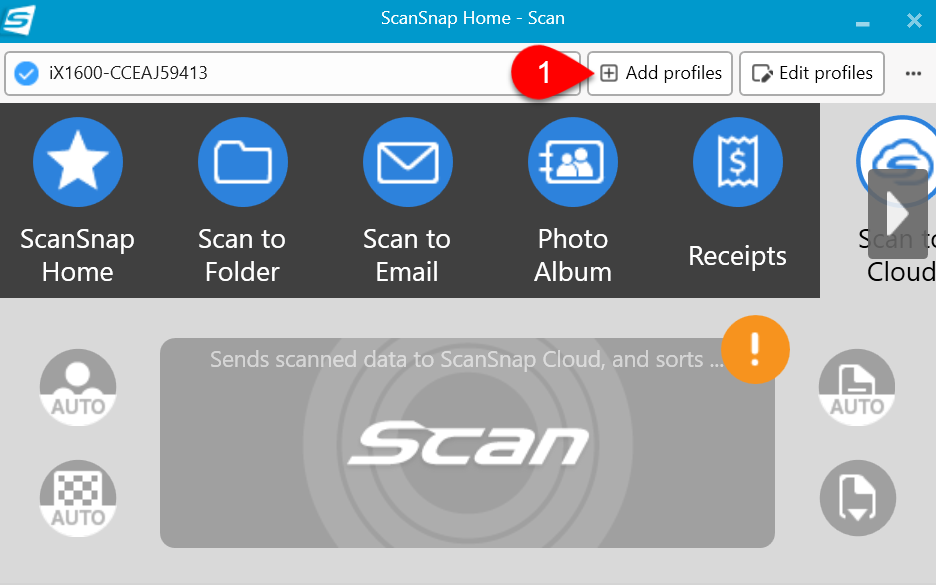

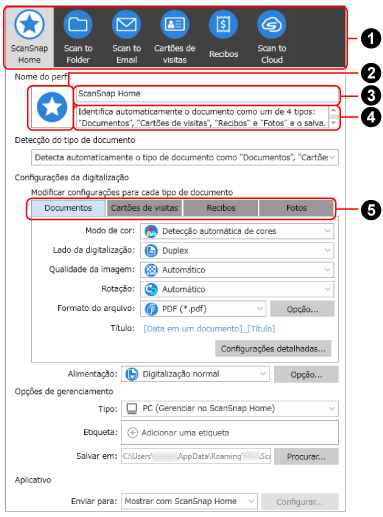
![Edit Profile Button In Scansnap Janela [Editar perfis] | Ajuda do ScanSnap](https://www.pfu.ricoh.com/imaging/downloads/manual/ss_webhelp/pt/help/webhelp/images/w_Profile_edit_01.png)
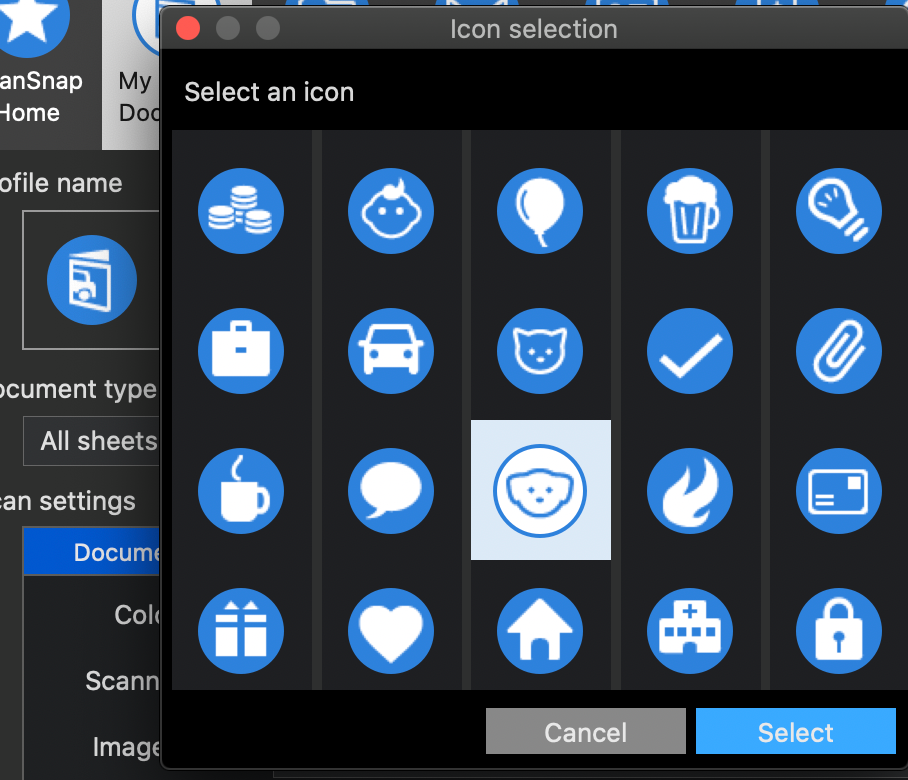
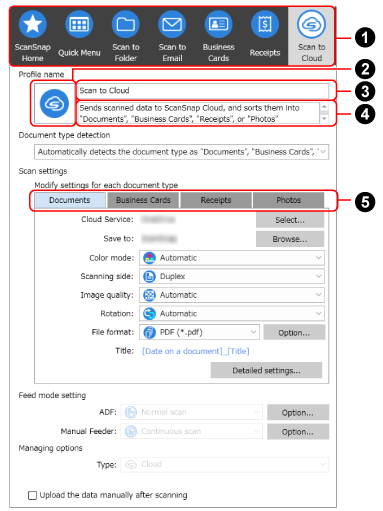
![Edit Profile Button In Scansnap [Windows/macOS][Edit profiles] Window (When Using ScanSnap Cloud ...](https://www.pfu.ricoh.com/imaging/downloads/manual/scansnap_help/en/pc/images/w_Profile_edit_scloud_ix1300_01.png)
![Edit Profile Button In Scansnap [Windows/macOS][Add new profile] Window | ScanSnap Help](https://www.pfu.ricoh.com/imaging/downloads/manual/scansnap_help/en/pc/images/m_Profile_add_600_01.png)
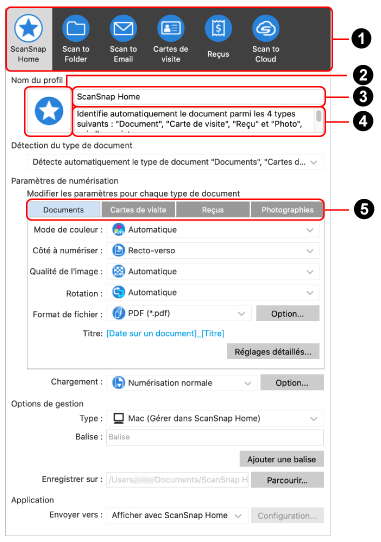
![Edit Profile Button In Scansnap Fenêtre [Modifier les profils] | Aide du ScanSnap](https://www.pfu.ricoh.com/imaging/downloads/manual/ss_webhelp/fr/help/webhelp/images/m_Profile_edit_01.png)
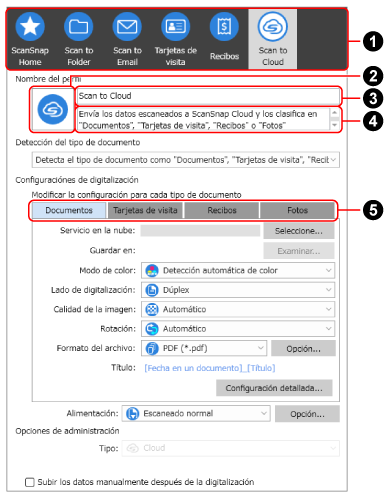
![Edit Profile Button In Scansnap Ventana [Editar perfiles] (mediante ScanSnap Cloud) | Ayuda de ScanSnap](https://www.pfu.ricoh.com/imaging/downloads/manual/ss_webhelp/es/help/webhelp/images/w_Profile_edit_scloud_01.png)
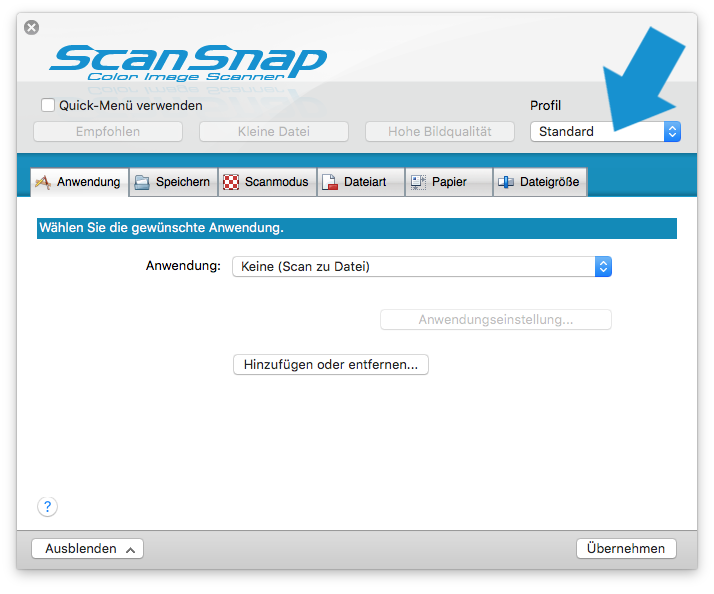
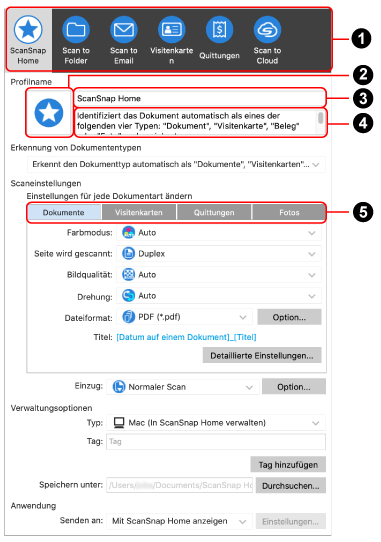
![Edit Profile Button In Scansnap Fenster [Profile bearbeiten] | ScanSnap Hilfe](https://www.pfu.ricoh.com/imaging/downloads/manual/ss_webhelp/de/help/webhelp/images/m_Profile_edit_01.png)