Cpu Hot Add Vmware









































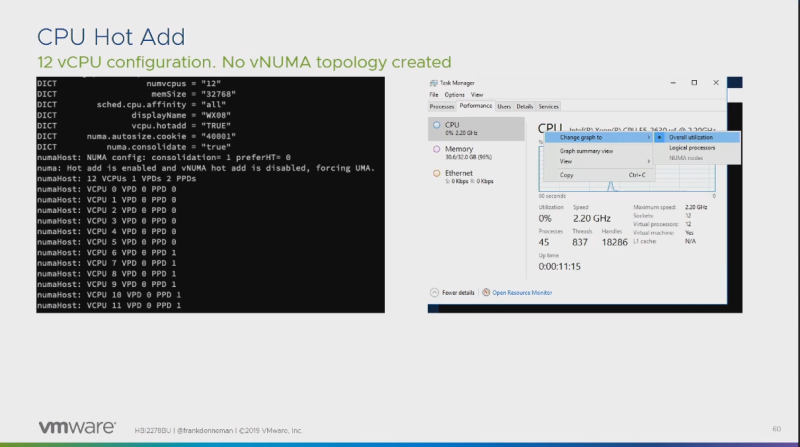
Indulge in the stunning luxury of our Cpu Hot Add Vmware collection with substantial collections of exquisite images. showcasing the grandeur of photography, images, and pictures. ideal for luxury lifestyle publications. Browse our premium Cpu Hot Add Vmware gallery featuring professionally curated photographs. Suitable for various applications including web design, social media, personal projects, and digital content creation All Cpu Hot Add Vmware images are available in high resolution with professional-grade quality, optimized for both digital and print applications, and include comprehensive metadata for easy organization and usage. Our Cpu Hot Add Vmware gallery offers diverse visual resources to bring your ideas to life. The Cpu Hot Add Vmware collection represents years of careful curation and professional standards. Whether for commercial projects or personal use, our Cpu Hot Add Vmware collection delivers consistent excellence. Time-saving browsing features help users locate ideal Cpu Hot Add Vmware images quickly. Reliable customer support ensures smooth experience throughout the Cpu Hot Add Vmware selection process. Cost-effective licensing makes professional Cpu Hot Add Vmware photography accessible to all budgets. Multiple resolution options ensure optimal performance across different platforms and applications. Each image in our Cpu Hot Add Vmware gallery undergoes rigorous quality assessment before inclusion.